
How to Create an AI Couple Photo from Two Selfies
No need for a photo taken together: here's how an AI couple photo generator can combine two separate selfies into one realistic scene, and what to check before you use the result.
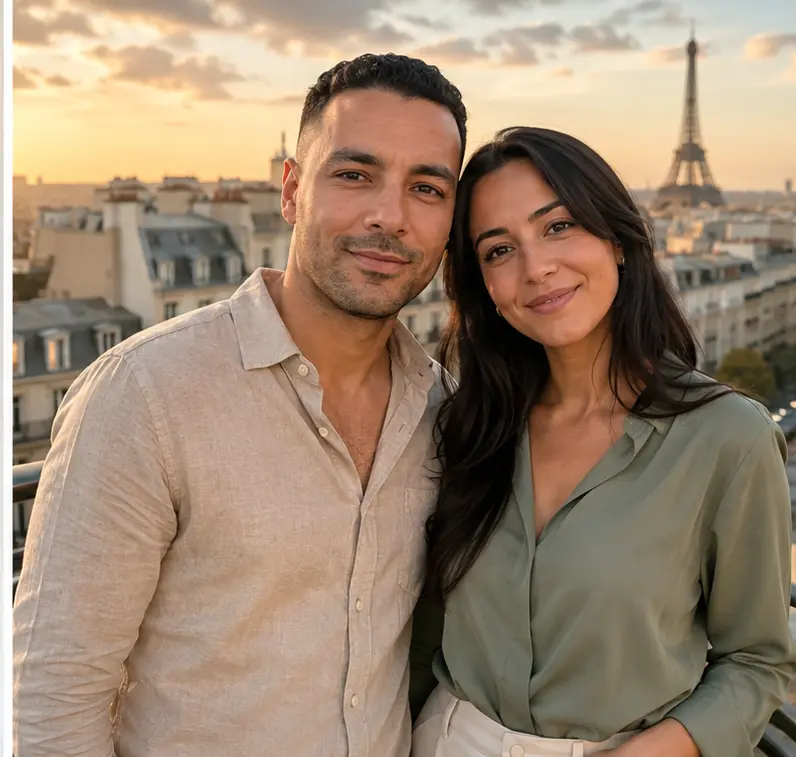
Not every couple, family or pair of friends has a photo taken together — different cities, different times, or simply no one around to take the picture. An AI couple photo generator like Maleki AI's Duo mode works around that: it takes two separate selfies and combines two photos into a single, realistic-looking scene, keeping both faces recognizable. This guide covers how to pick good source selfies, how the process works, and what an AI couple photo can and can't honestly deliver.
Choosing two selfies that work well together
The result depends heavily on the two photos you start from. A few things make a real difference:
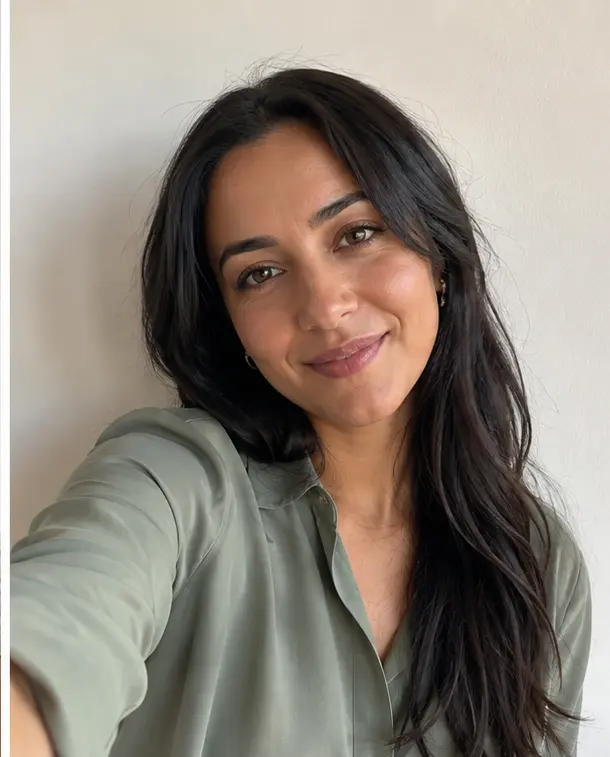
- Light: even, natural or well-lit selfies work better than very dark or very backlit ones. The two photos don't need identical lighting, but neither should be extreme.
- Framing: a head-and-shoulders or half-body selfie gives the AI more to work with than an extreme close-up or a photo taken from far away.
- Angle: a selfie facing roughly toward the camera blends more naturally than a strong side profile.
- Sharpness: blurry or very low-resolution selfies make it harder to keep a face recognizable in the final scene.
- Visible face: no sunglasses, no hand or hair covering part of the face, in both photos.
The two selfies don't have to be recent or taken in similar settings — that's the point of combining two photos rather than needing one taken together.

Creating your AI couple photo with Duo mode, step by step
- Open the Duo Mode section on the Maleki AI homepage.
- Upload the first selfie (yours).
- Upload the second selfie (the other person's — or your pet's, since Duo mode also supports that).
- Choose a style for the scene.
- Check the price shown before starting the generation.
- Start the generation.
- Compare the result with both original selfies before downloading it (see the checklist below).
- Download the result, and keep both original selfies as well.
Tips for a more realistic result
- Start from your best available selfies rather than the most recent ones — sharpness and visible faces matter more than how current the photo is.
- If the first result doesn't look quite right, trying a different style or a different pair of source selfies is usually more effective than repeating the same generation.
- Check the result at normal viewing size, not just as a small thumbnail, before deciding it's the one to keep.
- If you plan to print or share the photo widely, pick the version where both faces look most like the original selfies, even if another version looks slightly more polished.
Common uses for an AI couple photo
People use this mostly to picture themselves together when a real joint photo isn't available:
- a long-distance couple who hasn't been able to take a photo together yet;
- an anniversary or a special date, as a fun way to mark it;
- a keepsake photo with someone you don't see often;
- a picture with friends or a loved one who live far apart;
- a photo with your pet, using its photo as the second image instead of a person's.
Before you use someone else's photo
If the second selfie isn't your own, get that person's agreement before uploading their photo and before sharing or publishing the result. It's their photo and their likeness too.
The honest limits of an AI couple photo
A few realistic expectations before you rely on the result:
- Face fidelity isn't guaranteed at 100% — the AI aims to keep both faces recognizable, but a generated result can differ from the original selfies in small ways.
- Poses, hands and backgrounds are sometimes imperfect — these are common areas where an AI-generated image can look slightly off, even when the faces themselves look good.
- The result is a generated image, not a photograph of a real event — it shows what a photo together could look like, not proof that you were actually in the same place at the same time.
- If something in the result looks wrong (an odd hand, a warped edge), that's a known limitation of combining two photos this way, not a sign you did something incorrectly.
Privacy: what happens to your selfies?
According to our privacy policy, the photos you upload are processed temporarily, solely to provide the requested service — they aren't kept by Maleki AI as a permanent gallery. Photos awaiting payment may be processed and held temporarily, for a few hours, as described in the policy. The generated result may then remain accessible for up to seven days, giving you time to download it. The providers needed to run the service are listed in the privacy policy. Your photos are not resold for commercial purposes.
For full details (exact retention periods, sub-processors, your rights), see our Privacy Policy.
Looking for a polished solo photo instead, for LinkedIn or your resume? See our guide on turning a selfie into a professional AI headshot.
FAQ — AI Couple Photo
Do we already need a photo taken together?
No — that's the whole point of Duo mode. You upload two separate selfies, and the AI combines two photos into one shared scene.
Which photos give the best results?
Sharp, well-lit selfies with the face clearly visible and facing roughly toward the camera, in both photos. See the selection tips above for the full list.
Will both faces stay recognizable?
The AI aims to keep both faces recognizable, but fidelity isn't guaranteed at 100%. Always compare the result with the original selfies before using it.
Can two people who live far apart be placed together?
Yes, that's one of the most common uses — the two selfies can be taken at completely different times and places.
Can I use a photo with a pet?
Yes. Duo mode supports using a pet's photo as the second image instead of a second person.
Are the photos kept afterward?
No permanent gallery: photos are processed temporarily to generate your result, and the generated image remains available for a limited time to download. See our privacy policy for exact retention periods.
Is the result a real photograph?
No. It's a generated image showing what a photo together could look like — not proof that an event actually happened.
Want to combine two selfies into one photo together?
Try Duo mode on Maleki AI